
Most stores want an account before you can save a single part. A name, an email, a password, then a confirmation message to dig out of your inbox. All that to remember a capacitor.
PartsMine now has a Parts List. Press "Save to My Parts List" on any part and it is saved. No account. No sign-up.
The short version: the PartsMine Parts List is a save-for-later list for electronic parts. It needs no account, no login and no email address. It is kept in your own browser, and a link lets you keep it, move it to another device, or share it.
How to save a part without an account
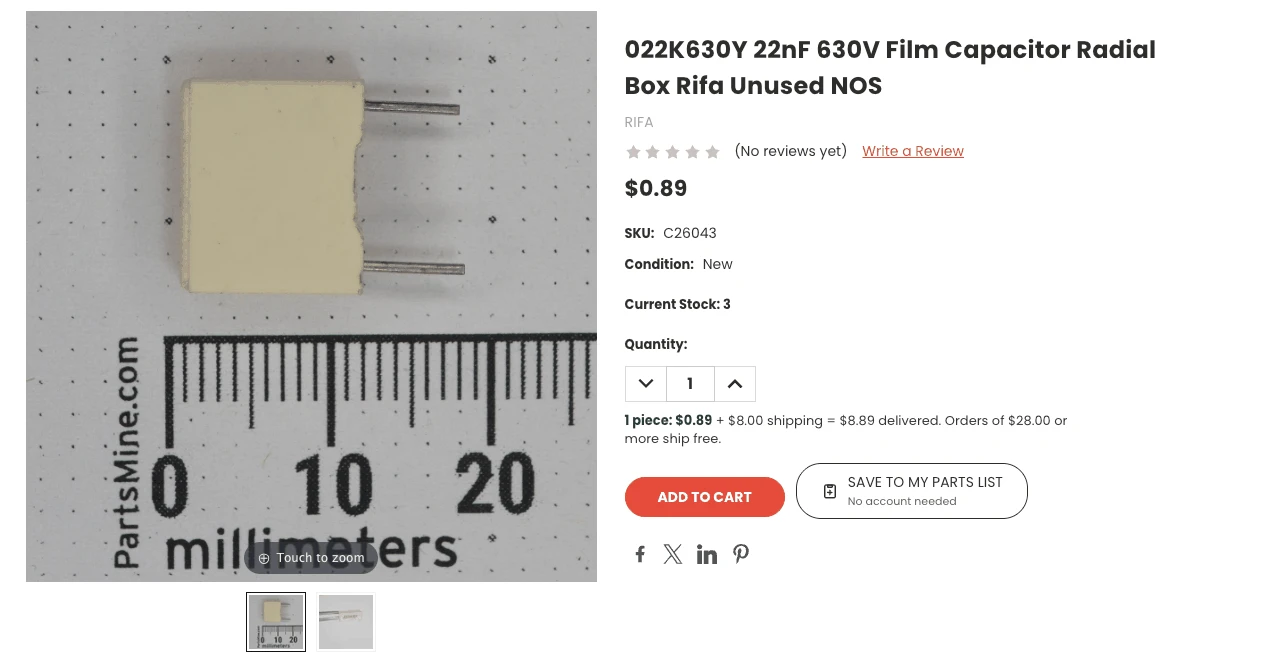
Open any part. Beside Add to Cart sits a second button: "Save to My Parts List". Under it, three words: "No account needed". Press it.
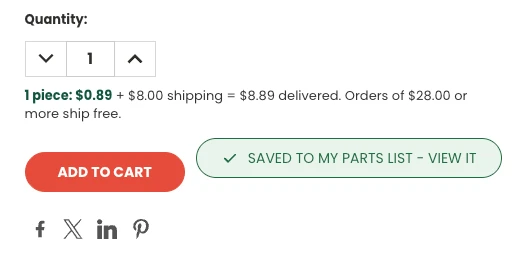
The button turns green. The Parts List count at the top of the page goes up by one. That is the whole procedure.
What your Parts List shows
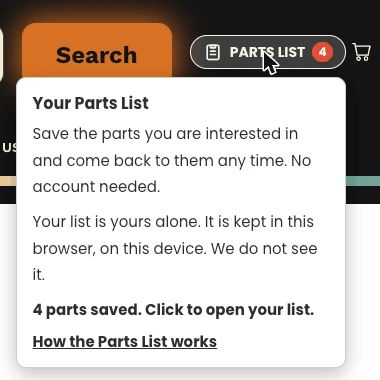
The list is yours alone. It is kept in your own browser, on your own device. We do not see it.
Open it next week and it shows that day's price and what is still on the shelf. Change a quantity. Add one part to the cart, or the whole list.
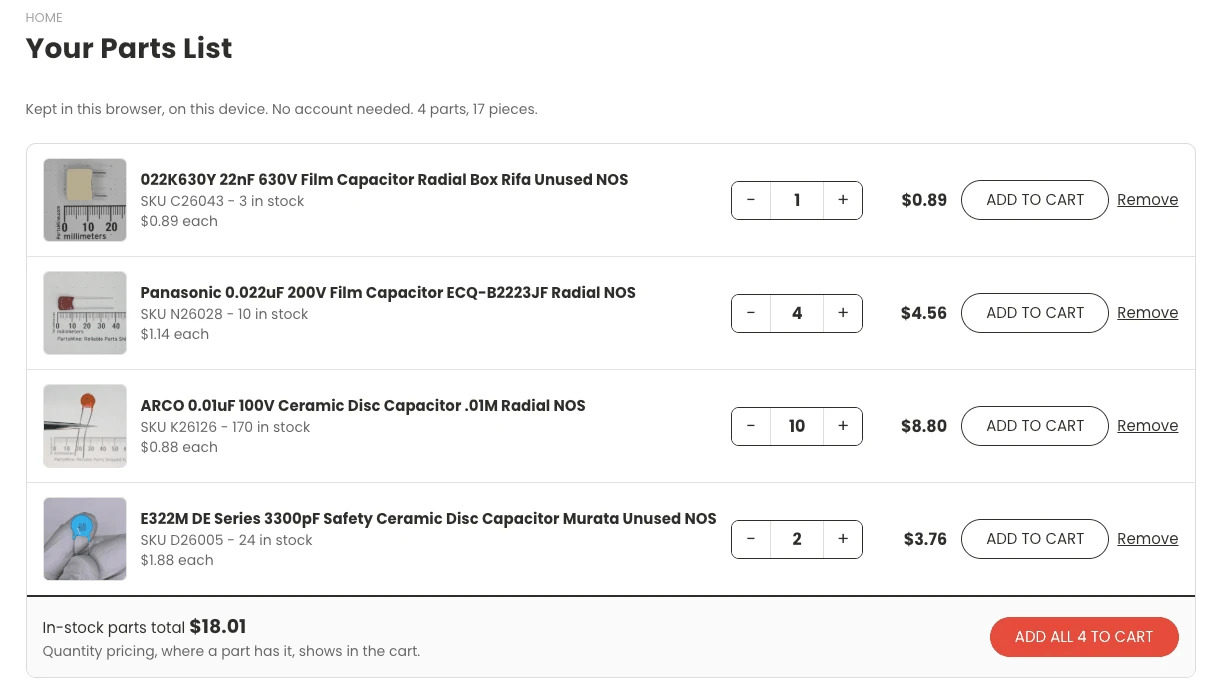
Saving a part does not hold it for you. If it sells, your list will mark it sold.
The catch, and the fix
That convenience has a cost, and it belongs on the table. The list lives in one browser. Your phone does not know what your laptop saved. Clear your browser data and it is gone.
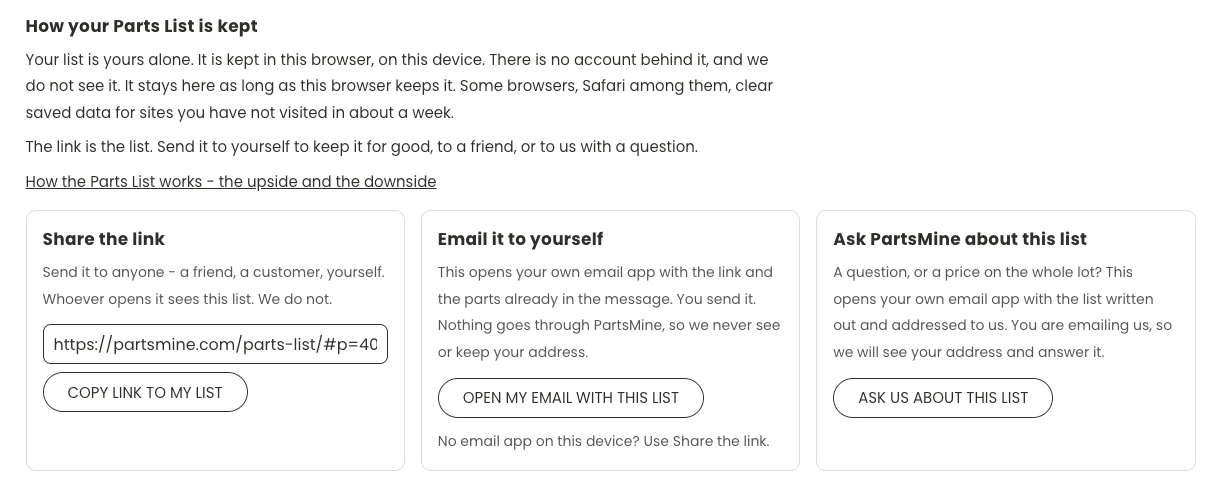
So every list comes with a link, and the link is the list. Email it to yourself. That message goes from you to you. We never see the address. Open the link on any device and the list comes back.
Sharing a list
The same link works for anyone you send it to. A friend. A customer. Yourself. Whoever opens it sees the list. We do not.
Want a question answered, or a price on the whole lot? "Ask PartsMine about this list" opens your own email app with the list written out and addressed to us. That one we do see, because you sent it. We use your address to answer you, and it is not added to any mailing list.
Parts List questions and answers
Do I need an account to save parts at PartsMine?
No. Press "Save to My Parts List" on any part and it is saved. No account, no login, no email address.
Where is my Parts List kept?
In your own browser, on your own device. There is no account behind it.
Can PartsMine see my list?
No. We only see parts from your list if you put them in the cart or email the list to us with a question.
Will my list show up on my phone and my computer?
Not by itself. The list lives in one browser on one device. Copy the link to your list, or email it to yourself, then open that link on the other device and the list comes back.
How do I keep my list from being lost?
Save the link. Clearing your browser data erases the list, a private window forgets it when you close it, and some browsers, Safari among them, may clear saved data for sites you have not visited in about a week. The link brings it back.
Does saving a part hold it for me?
No. Saving is not buying. If a part sells, your list will mark it sold.
Does the list show today's price?
Yes. Each time you open it, the list shows the current price and what is still in stock. Quantity pricing, where a part has it, shows in the cart.
Can I share my list with someone else?
Yes. Send the link to anyone. Whoever opens it sees the list. We do not.
The full rundown, good and bad: How the Parts List works. Or open your Parts List and see what is on it.